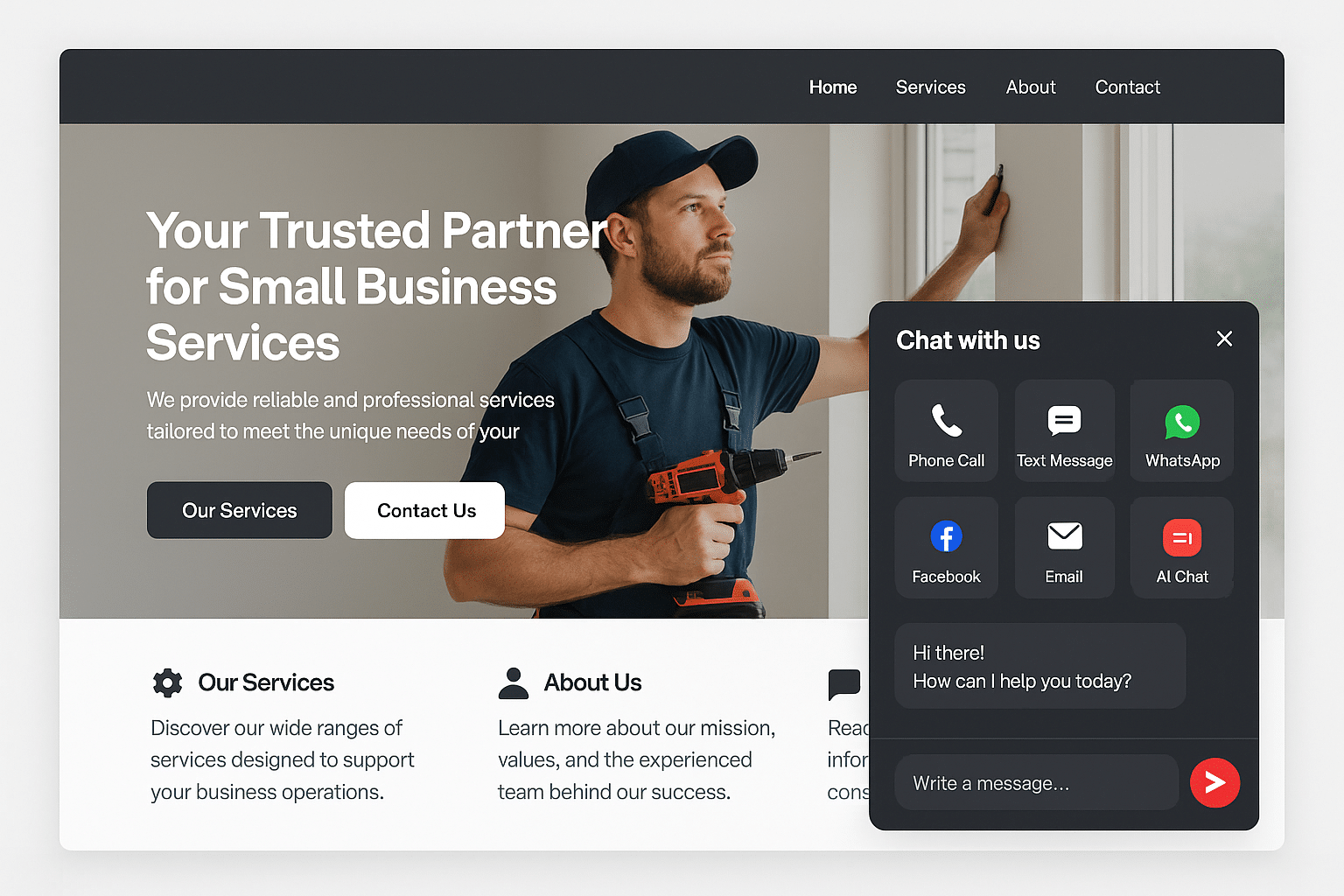
Red Zone Chat Widget
Turn website visitors into CRM-ready leads with phone, text, WhatsApp, Facebook, email, and AI chat options in one simple widget.
Direct Answer
The Red Zone Chat Widget is a small business lead capture widget that gives website visitors six ways to contact you: phone, text, WhatsApp, Facebook, email, and AI chat. It captures full lead details and sends them into your CRM with tags and conversation context.
Some want to call. Some prefer text. Some want AI answers first. The widget lets each visitor choose the path that feels easiest.
Six Contact Paths
The easier it is to reach you, the more leads your website captures.
Tap to call from mobile or desktop.
Start a quick SMS conversation.
Reach businesses through WhatsApp where preferred.
Connect through Messenger or Facebook.
Send details without opening a separate contact page.
Answer questions and capture lead details automatically.
Connect through Messenger or Facebook.
Send details without opening a separate contact page.
Answer questions and capture lead details automatically.
How It Works
The widget appears after engagement, not before they understand the page.
They pick phone, text, WhatsApp, Facebook, email, or AI chat.
The AI answers questions and captures name, phone, email, address, and need.
Automation, reminders, and sales follow-up begin immediately.
Free Academy Class
Learn how to shape an offer that is easier to understand, easier to sell, and easier for customers to say yes to.
FAQ
It helps small business websites capture more leads by giving visitors multiple ways to reach you: call, text, WhatsApp, Facebook, email, or AI chat.
Yes. The AI chat can answer common questions and capture lead details before a human needs to respond.
Yes. The widget is designed for both desktop and mobile visitors.
Capture More Leads
Ask us how the Red Zone Chat Widget can connect your website to your CRM and follow-up system.